
Export product data — optimised for online shops, catalogues and BMEcat
Automate the distribution of your product data across different channels and avoid having to maintain the same data in multiple systems.
- Export to BMEcat, CSV and shop systems
- Central data source for all channels
- Custom export structures can be defined
- Automated data provision
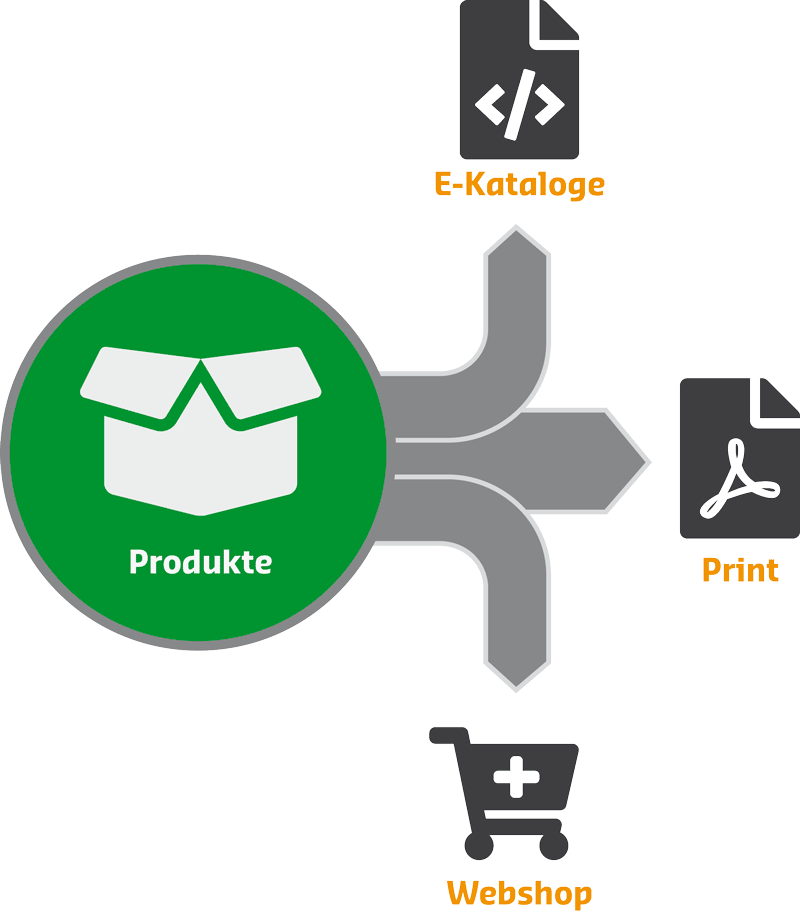

Distribute product data efficiently across various channels
Produktdaten müssen heute in vielen Systemen verfügbar sein: Onlineshops, Marktplätze, Kataloge oder Partnerplattformen.
Ohne zentrale Datenbasis entsteht schnell ein hoher Pflegeaufwand und inkonsistente Informationen.
With ComBinder PIM, you can export your data in a structured and automated manner to all relevant channels.
Flexible export options for every scenario
BMEcat-Export
Create standardised BMEcat catalogues for customers, partners or marketplaces.
CSV and Excel export
Export product data for custom applications or external systems.
Shop-Integration
Transfer product data directly into shop systems such as WooCommerce or Shopware.
Custom export definition
Decide for yourself which data to export and in what format.


Typische Anwendungsfälle für den Datenexport
- Bereitstellung von BMEcat-Katalogen für Kunden
- Synchronisation of product data in online shops
- Export for marketplaces
- Creation of data feeds
Centralised data management, flexible output
- No duplicate data entry
- Consistent data across all channels
- Quick update
- Scalability as the product range expands


Frequently asked questions about product data export
Which formats does the export support?
ComBinder PIM supports BMEcat, CSV and direct shop integrations.
Can I customise export formats?
Yes, export structures can be defined flexibly.
Is automation possible?
Yes, exports can be carried out on a regular basis or as and when required.
Is the export function suitable for large product catalogues?
Yes, even large amounts of data can be exported efficiently.
Make the most of your product data across all channels
